Showing posts with label firefox. Show all posts

Tuesday, October 9, 2012

Mozilla Firefox 16 Officially Released, Improves HTML5, Developer Tools


Firefox 16 was released today as the latest open-source web-browser update out of Mozilla.

Key features of Firefox 16 include a new developer command line to provide easy keyboard controls over the developer tools in an intuitive manner, unprefixing new stable features, and improvements to Firefox for Android.

Now deemed stable and unprefixed with Firefox 16 are CSS3 Animations, Transitions, Transforms, Image Values, IndexedDB and Values and Units. As additionally bonuses, the Battery API and Vibration APIs that were developed in part by Mozilla are also now considered stable.

For those curious about the Firefox Developer Command-Line see the video below or this Mozilla blog post. 

Via  Phronix

Wednesday, August 29, 2012

Mozilla Firefox 15 Officially Released

Mozilla had officially released Firefox 15.0 this morning with many new features.

Key features of the Firefox 15 web-browser include reduced memory usage, a new JavaScript debugger, support for compressed textures, an improved JavaScript engine, WebGL enhancements, high precision timing support, and various other fixes and enhancements.

Firefox 15 for Android was released today as well to go along with the multi-platform desktop release. Additional Firefox 15 details are available from the Mozilla blog. Mozilla Firefox 15 is available for download from Mozilla.org.

Embedded below is the BananaBread first person shooter 3D demo that shows off some of the WebGL/graphics improvements found in this latest Firefox browser release.
Via Phoronix

Tuesday, July 17, 2012

Firefox 14 Released, Update Now

firefox update

Firefox 14 has been released. Updating to new version. Can't wait for something new in this version of Firefox.
Update your firefox now.

Wednesday, June 6, 2012

Set a Custom New Tab Page in Firefox


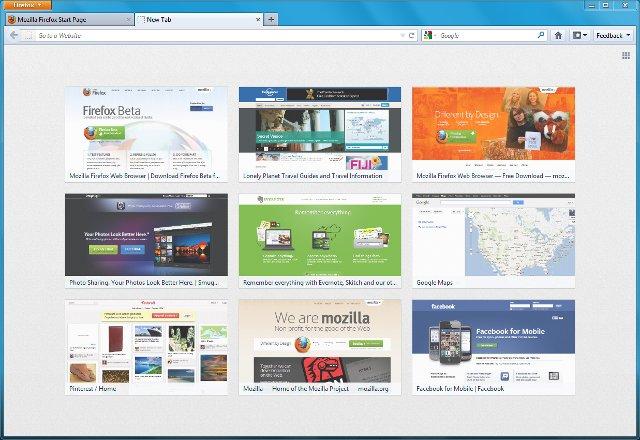
The latest version of Firefox introduced a new new tab page, which shows thumbnails of your most recently and frequently visited web sites, which you can rearrange, delete, or pin. You can even add bookmarks from the bookmarks sidebar, toolbar or menu.
But if this is not for, you can also add a custom page to be loaded whenever you ask for a new tab page.
To customize it,
1.      Go to advanced preferences entering about:config in the location bar
2.     Search for preference browser.newtab.url
3.     Double-click on it and enter the web address (URL) of the page you want to load (like a custom portal, your Facebook profile, etc.), or to set a blank page, enter about:blank.
From now on, when you open a new tab, your favorite page will be loaded.

demo


Monday, June 4, 2012

Firefox 13 Arrives With New Home Page And New Tab Page, SPDY Support


Most Firefox updates over the last few months were relatively minor. Firefox 13, which is now available for download and which will go out to existing users tomorrow, i a bit different. This update actually introduces a number of consumer-facing updates that finally bring some of Firefox’s features up to par with Google’s Chrome. Most importantly, this new version finally features the long-promised new home and new tab screens. In addition, Firefox now supports the Google-backed SPDY protocol, which promises to significantly improve load times for those sites that support it.

firefox13