Showing posts with label google chrome. Show all posts

Tuesday, July 31, 2012

Chrome 21 Released with New Video, Audio API and Bugs Fixed

Google Chrome 21 Stable

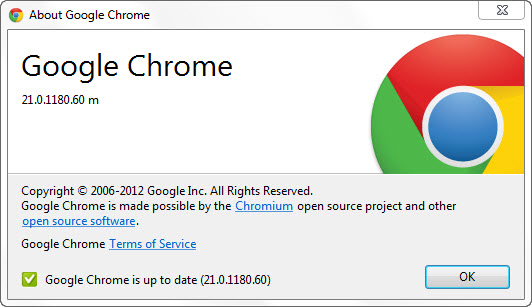
The Chrome team over Google has announced on July 31 the availability of the latest stable version of the Chrome browser for Windows, Mac, Linux and Chrome Frame. The Chrome browser now carries version 21. Version number 21.0.1180.57 for Mac and Linux meanwhile 21.0.1180.60 for Windows and Chrome Frame.

Thursday, June 28, 2012

Google Chrome Stable 20.0.1132.47 Released

The Beta and Stable channel has been updated to 20.0.1132.47 for Windows, Mac, Linux, and Chrome Frame. This release disables some of Chrome’s GPU acceleration features on Mac hardware containing the Intel HD 4000 graphics chip (e.g. the new Macbook Airs), in order to prevent a resource leak which is causing a kernel panic on that hardware. This is a temporary change while we work on fixing the root cause of the issue.

What’s New in Chrome 20?
Apart from over 20 security fixes (paying out total rewards of $11,500 to the finders) there is little new to see in this version – those expecting a milestone release such as Chrome 20 to include lots of cool new features will be sadly disappointed…
The official changelog lists the security fixes in more detail but doesn’t specify any other changes – although there are some minor ones. I’ve noted before how Google often ‘hide’ new features and this trend has worsened in recent releases e.g. the unpublicized new Startup tab of Chrome 19 which proved so unpopular.

The remaining changes include:
    - Various fixes and stability improvements
    - The ‘New Tab’ button is bigger – a little wider than before

Download:
Install from internet
Offline installer
Tuesday, June 12, 2012

Google Chrome Metro Dev Release

Chrome Metro


Last week, Google said that they would be launching a Metro version of Chrome with the next dev channel update. As promised, the dev channel update went live and we can now try out the new version of Chome for Metro.
Chrome is the first non-Microsoft web browser for Windows 8, coming with support for the Metro user interface introduced by the Redmond-based company.
The current version, Chrome 21.0.1171.0 uses just a small part of the Metro interface. For example, instead of the App bar menu present in the bottom of the screen that is supposed to show up each time you press the Windows + Z shortcut, you will be welcomed by the regular Windows 7 menu.
 Right clicking anywhere in the page will open a contextual menu for you – useful for any time of mouse + keyboard configuration, but still outside Microsoft’s recommendations for the Metro interface.
The final version of Google Chrome for Windows 8 will most likely be available for download in Windows Store, as soon as it will be verified and approved by Microsoft, after the internal Metro compatibility tests are performed.
You can download and install Chrome Metro here.